6 cheap travel tricks for DSLR filmmakers

Recently one of this blog’s readers asked me: “Can you do a post about something that everyone does–but nobody talks about? Which is: packing and traveling with all of your stuff?” So here I am, ready to share some tips about how to get your gear on location without breaking the bank.

(Click twice on images for larger version.)

But first, a couple of assumptions. Before I started making purchases about how to cart my gear around, I took a look at how I was currently using the equipment, and where I was using it. And I recognized that 95 percent of my travel is local travel – within 50 miles of home. It’s tempting to buy with the assumption that you will be hopping on a plane any moment. But that would be to make the mistake that many car buyers make when they pass over electric cars “because they don’t have enough range.” The fact is, the average American drives about 35 miles per day. But they want what economists call “option value:” the feeling that they can drive anywhere, any time. Gas cars give you that, even though most rarely exercise that option in practice. I bought a Nissan Leaf a year ago, so you know where I fall on this spectrum.

So when I was planning my gear purchases, I decided to focus on stuff that was more affordable than sexy, stuff that would gave me quick and easy access to my stuff both when I’m hunting for it in my office, that would help keep things organized while on location, and would keep my equipment safe without being overly (costly) protective.

So here’s what I discovered.

1. Plastic tubs (the kind with lids that stay closed) are your friend. The transparent ones are also great for helping you see at a glance what you’re looking for, just by looking. Use small tubs for organizing smaller items: lights, mics, etc. I find that my lights travel very well and safely this way, by car, where I can load everything myself with relative care. I put foam in the bottom of some of the tubs, which adds enough shock absorbing quality that I’ve yet to break any thing carried this way.

But what I find most useful about stashing my stuff in plastic tubs, is that I can use them to group accessories with the item being transported. For example, my ProLight is almost always used with a snoot and a dimmer. But almost as often, I’ll want it with barn doors and a dichroic filter. And almost certainly I’ll need blackwrap to kill any stray spill. So I store all of these items in the plastic tub with the ProLight. That way, everything is in the same place when I need it. Sweet.

2. Milk Crates. They are great for carrying grip equipment: clamps and weights not only fit into them, but can hang off the rim for quick access during a shoot. Bonus: you can dump everything out and use it as a light scrim to liven up a boring interview background by projecting light through it.

3. Get a cart. At least start with an inexpensive dolly like one of these. But trust me, go with the cart. The small dolly and truck wheel don’t cut it on rough terrain like Seattle sidewalks. Go for a cart with fat, curb-crawling tires. Mine is a Multi-Cart R12 that I found at Glazers Camera. Worth every penny, and small enough to fold up and fit into my Leaf. I can’t imagine showing up on location without it.

4. Gels are a pain in the ass: always somewhere else when you need them, rolled up with elastic bands. The solution: use a Gelly Roll for packing your gels. You cut your gels, tuck them into the Gelly Roll, and roll them up. They pack small and the tube carries clothes pins (film industry calls them c-47s, but I always feel ridiculous calling them that – sounds like an airplane or a form of plastic explosive to my ear)

5. Have at least one really good Pelican case for your truly breakable and expensive stuff (lenses, for example). You can find them used on Craigslist any day of the week, and even though they are relatively expensive used, they are indestructible. I have a small one for my prime lenses, which helps them stay organized on location, as well as safe. I’ve got a medium sized one that I carry my follow focus, long glass, and small LED light around in. It helps me stay organized while I’m on location. For quick white balance, I keep a gray card taped in a plastic sleeve inside the lid, under the padding (see photo).

TIP: when working out of a Pelican case on location, make sure you latch at least one of the cover lockdowns. Otherwise, someone will sooner or later come along, think that it’s latched, and pick it up, sending the contents of the case cra$hing.

My favorite Pelican trick is to carry a gray card behind the foam liner of the cover. That way, I can always have a gray card within reach when on location. I used to carry a few gels there too, before I started using the superior Gelly Roll for that.

6. Get a used hard-plastic golf club case. It’s great for hauling a tripod and light stands around. I found a used SKB case on Ebay like this one for around $60. Bonus: most airlines won’t charge you oversize fees when you have a golf case. Apparently golfers are customers they want to keep happy. So there, you see the thought of air travel did at least cross my mind! But this case is really awesome for schlepping in the back of the car, too. I can fit two c-stands, a glide track, several light stands AND my tripod in there. In practice I usually leave my tripod in its travel bag because it makes the SKB case too heavy to carry. But it’s an option if needed.

So there you have it: my tips for local travel. How about you? Got any tips to share?

3 location scouting tips for shooting better interviews

For making films, my background in photojournalism turns out to be both a blessing and a curse. On the plus side, I know plenty about cameras, optics, and how to compose a shot. But photojournalism is a reactive game. A photojournalist’s instincts are to show what she sees rather than what she imagines. This is a huge skill: the ability to react almost instantly, to maneuver the camera into the best place to capture the defining moment as it happens.

But making films, I’ve discovered that approach rarely works. There are just too many variables coming up at once that you have to be on top of: sound, light, motion, schedule pressures, crew questions, etc. To find my footing in this related but very different terrain, I’ve had to learn to be proactive. Even for a basic filmmaking task like shooting an interview.

What I’ve discovered is that the simplest and best way to get better interviews is to scout every shooting location. Yeah, I know, probably not news to anyone who’s attended film school. Or like my partner Lisa Cooper, who knew this instinctively. But for me it’s a hard-won lesson. So…

Here’s what works for me:

1. Visit location at least a day in advance of a shoot.
2. Take stills at the location.
3. Review stills, and make a lighting plan.

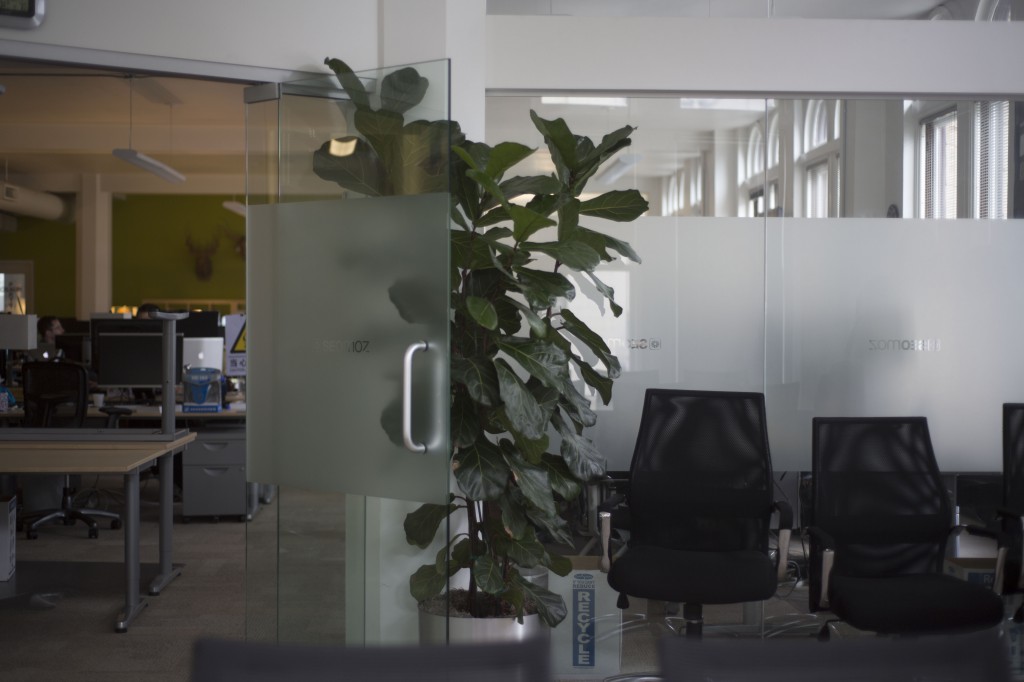
What happens for me when I walk through a location without the immediate pressure of shooting is awesome. Curiosity becomes my guide. Without the pressure to start shooting in 20 minutes, I see things I wouldn’t otherwise see: a frosted glass window suggests possibilities as a background, for example. But what about that open doorway? Sound might be a problem here…so how about the conference room?

Here’s some shots I took on a recent walkthrough of an office space where we would be shooting two interviews:
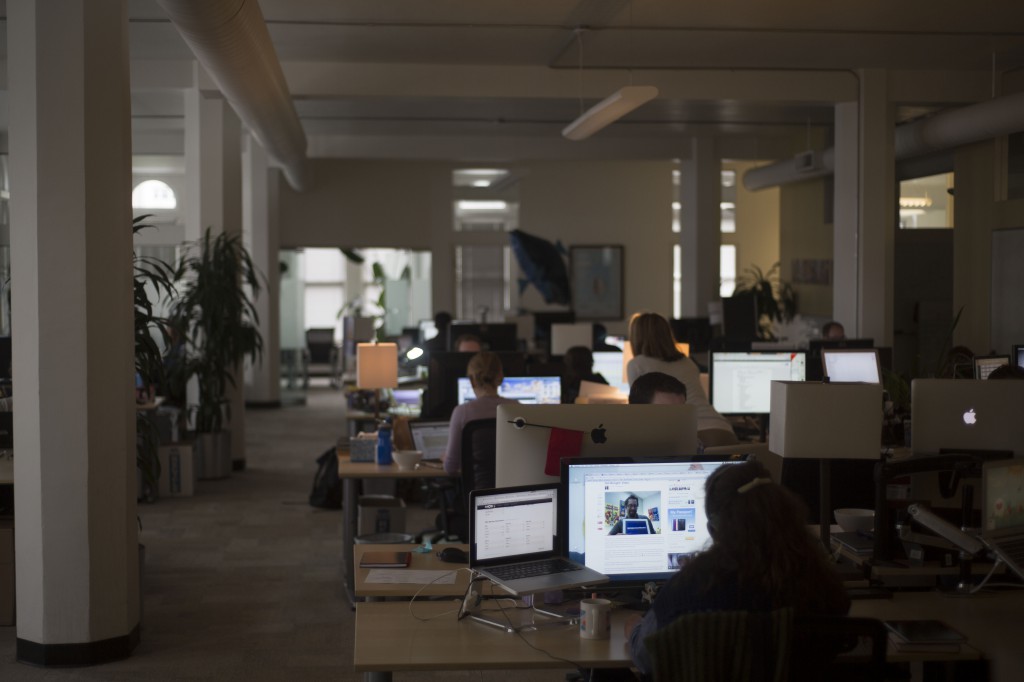
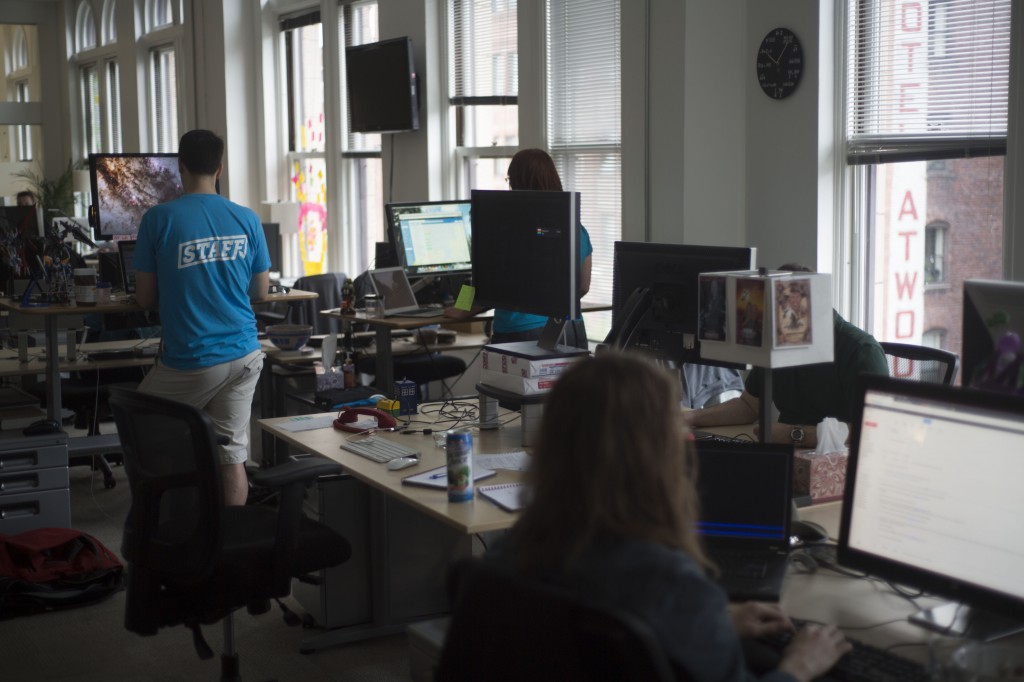
As I visit the space, I take pictures. Lots of pictures. I explore every possible interview room from multiple angles. Even if I don’t think a room is going to work, I take pictures. And what often happens is that when I’m reviewing the shots later, the idea comes to me. Hits me right between the eyes, actually.

An iPhone is ok if you don’t have anything else, but I’ve found that shooting stills with my DSLR is much better. Sometimes background details will provide clues to how best to frame the interview. With the DSLR, I’m able to blow them up and see the detail.

In the case above, my walkthrough began with shots of the employees open office space, and ended up in a conference room that had some frosted glass panes. It was possible to close the blinds on all outside windows. Initially I thought I wanted to do something with window light, possibly with the subject framed in the open doorway so we could see some out-of-focus workers in the background.

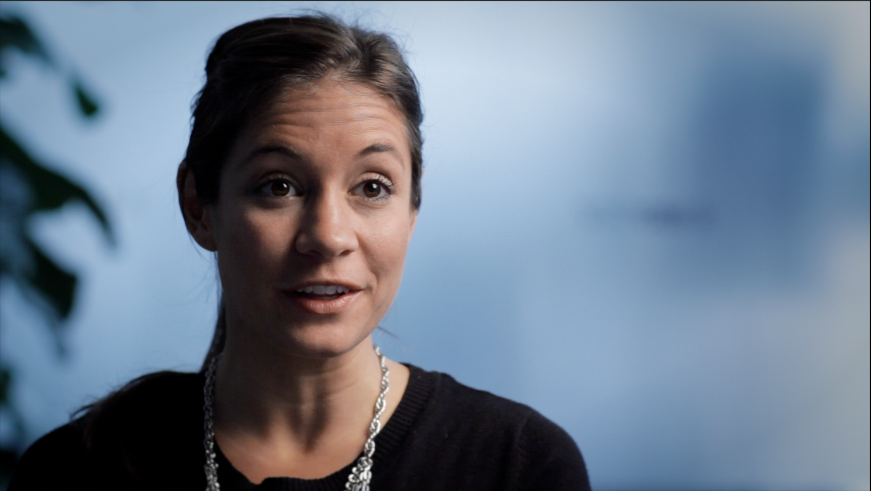
Later, when I was reviewing the photos, it occurred to me that the better way to do it was to use the frosted glass as a background, because the topic of the piece was about transparency in business practices. Even though the glass is opaque, the idea of transparency (or lack thereof) is at least hinted at. Here’s what the final interview, which was shot in the conference room, looked like:
Having this plan allowed me to mentally prepare to shoot the second interview, so that it would also match visually. For scheduling reasons, this second interview had to be shot in a totally different location at the same business, a small interior room without any windows. Lucily, however, it had one frosted glass wall, which faced a hallway. To recreate the daylight filtering through glass, I simply placed a daylight-balanced LED light outside and aimed it into the glass. It ended up matching pretty well:

I don’t know if I would have been able to come up with this approach on the spot. But because I had time to plan, I had figured out how to do this in advance, which made for a much more relaxed shoot day.

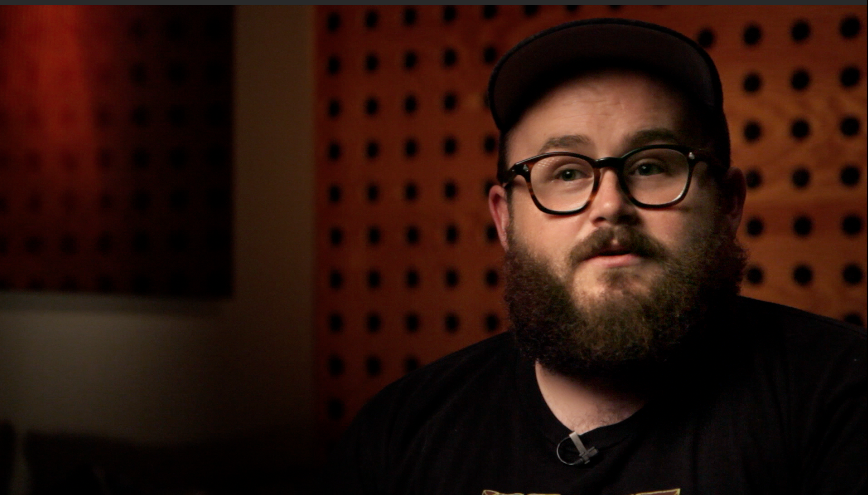
Another office location that we visited recently presented similar challenges. We walked through a busy office space and found a quiet editing bay, which caught my eye because of the interesting circular patterns. I had Lisa sit in approximately the place where I imagined setting up a soft box to light the subject.
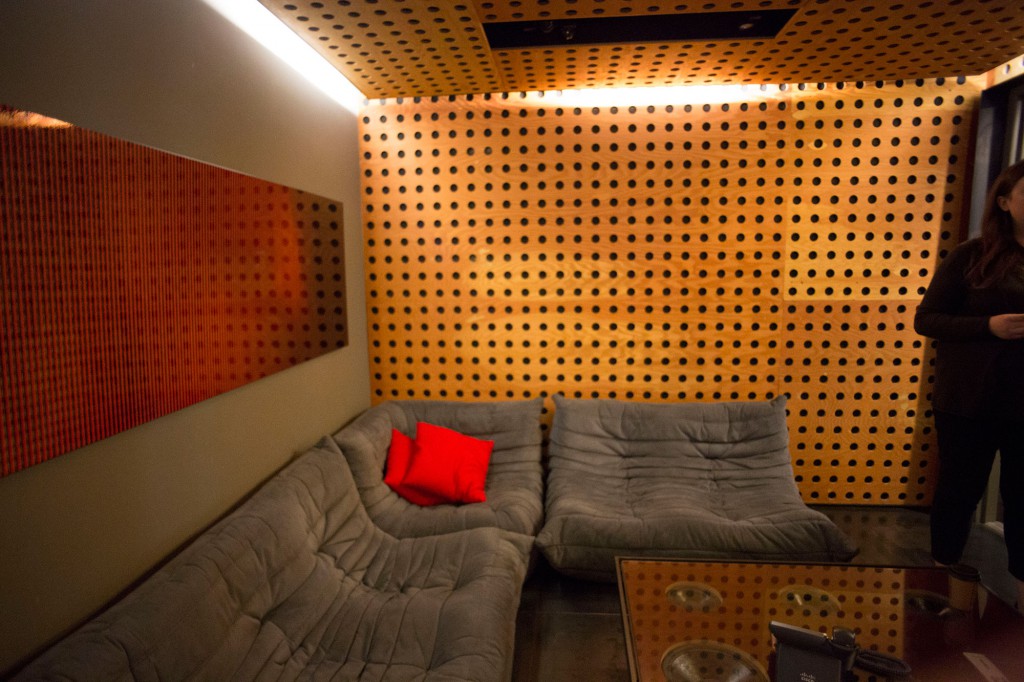
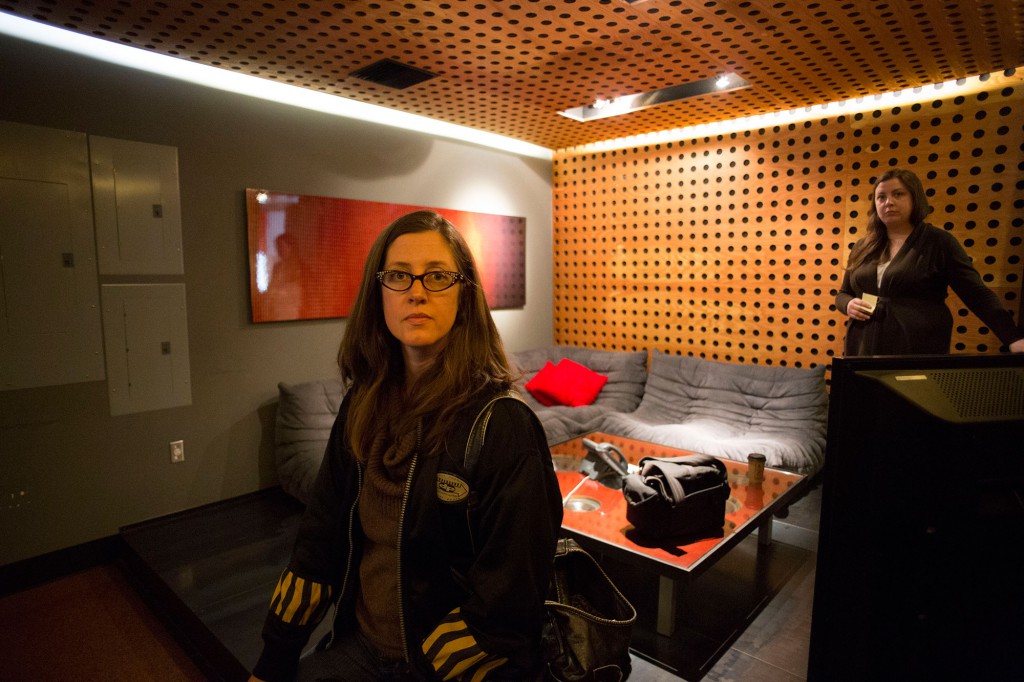
We ultimately shot two interviews in the space, changing them slightly to get each subject on opposite sides of the frame:

In my next post, I share how I use my two favorite iPad tools to make and share my lighting plans: Omnigraffle, and Lighting Designer.

Update: Here’s the post about using Omnigraffle as a tool for planning your lighting.

Matthews triple header adds options to c-stand lighting

I love c-stands.They send lights safely soaring into the air with a reassuring heft. But until recently, I’ve basically been using them like big light stands: put light on c-stand; put light modifier (flag, silk, etc) on second c-stand; adjust; repeat. But all of this changed when a helpful Glazers rep suggested I take a look at a Matthews Baby Triple Header.

Here’s how it works. You mount the triple header on the top of the c-stand, and it gives you wings in the form of five 5/8″ jr. spuds: three on top, two underneath. And from these you hang lights and accessories.

At first glance, it might not seem that earthshaking. But it’s so much more than the ability to fly more than one light at a time. What I find most powerful is that I can attach and offset a gobo arm. This simple trick allows me to light and soften with a silk, using the same stand. In practice this means I can use one light with a medium silk, or two lights with a medium silk for extra punch.

With so many spuds, it’s a simple thing to attach more than one arm, too. So using my Road Rags, I can hang two small silks, one in front of each light, to imitate the light cast by two small windows next to each other in a wall.

I’ve got a feeling I’ve only just begun to explore the configurations possible with this accessory. What combinations have you thought of?

Learn how to shoot better iPhone video with me at Glazer's PhotoFest on June 8

The Stranger

I’m honored to have been invited by The Stranger and Glazer’s Camera to host a workshop at their upcoming PhotoFest. Lisa Cooper and I will be hosting Workshop to Elevate your iPhone Video Skills on June 8 from noon-1pm. Here’s the description:

We all have a story to tell, and most of us already possess the basic technologies to help tell it. In this one-hour workshop you’ll learn how to take your DIY video skills to the next level with Filmicpro, an app that delivers three simple yet powerful controls to the iphone and costs less than a macciato. Bring your phone and your voice, leave with the tools and knowledge to elevate your novice narrative to a polished finish.

The workshop’s free, and there will be lots of other events happening throughout the day, including other workshops. Topics include:

Using Camera Stabilization Platforms to Shoot Better Video with Steve Ostrander
How to Create Better Landscape Photography with Jeff Allen
Shooting Video on Your DSLR Camera with Mark Toal
Travel Photography Gear, Lighting and Grip w/ Dean Zulich

Video produced by our first workshop participants

Check out the video produced by the 10 above-average students in our first workshop on April 21! Not bad for beginners with only an afternoon and an iPhone, hey?

To create this video, we created a fictitious flower company, and tasked two attendees with acting as the co-founders. The rest of the crew helped light, shoot and record audio for this piece.

It was a lot of fun and I thank all 11 of you for your hard work. Making videos really isn’t rocket science, hey? Anyone can do it with an iPhone and some clear instruction.

What could your business do with a web video? Our second workshop, on June 2, is now open and limited to 12 participants. Learn more and RSVP here.

Shooting the Moon: combine two shots for one dramatic photo

Last night’s Super Moon brought the moon close enough to Earth for NASA to call it 14 percent larger and 30 percent brighter. That was enough to send dozens of people, including me, scrambling for a place to stand to observe the rare spectacle. I headed to Seattle’s Gas Works Park, thinking I’d shoot a timelapse of the action from atop Kite Hill.

But when I arrived, I discovered the hill was already packed with moon seekers. So I set up my tripod from a more humble vantage, halfway down the hill, next to a couple of other late arrivals. Sometimes it pays to be late! Just before the moon appeared, the guy next to me said “I’m sure the moon’s going to be great and all, but I think the better photograph is that way,” pointing behind us. I turned around and saw this:

A nice shot, for sure. But with a little room for improvement.

After the moon came up a few minutes later, I shot this frame with a 300mm Nikkor f/4. This is the uncropped version, just as it appeared through my camera’s viewfinder.

After the excitement of watching the moonrise was over, I went home, and imported my two shots into the Beta version of Photoshop CS6 that I recently downloaded from Adobe. My timelapse, incidentally, didn’t turn out at all. But I saw a lot of potential in these two frames. Here’s what I did to bring the magic together:

1. Rather than blow up the moon to appear larger in the frame, I started by down-sampling the people shot. It was destined for the web, so it didn’t need to be high resolution. I chose 1400 pixels wide. Using selective color, I made a selection of all the blue sky. The I pressed command-shift-i to select the inverse (the people), and commend-j to create a new layer with the selection. Here’s what it looked like:

2. Next I opened the moon, which was easy to get on it’s own layer similarly, by using selective color to drop out the dark sky, and after a little refine edge work, it looked like this:

3. I placed them together, on separate layers, with the moon behind, to get this:

4. I had saved a copy of the original shot of the hill on it’s own layer, all the way in the background. Turning it on makes things looks like this:

5. Something didn’t look quite real about this. With normal lenses, the evening sky typically appears darker toward the edges of the frame, and that was missing from my original shot of the skyline, because it was shot with a longish 105mm lens. To get that feeling back, I needed to add a gradient. This took a little playing around – I tried several kinds of gradients, and ultimately settled for a standard black, white gradient, at 58 percent opacity, using “multiply” as the layer blending mode (which darkens only). Here’s how it looked, along with the settings I used in the layer:

6. Turning all the layers on reveals the finished shot: a whole bunch of photographers gathered to shoot one super big moon. Enjoy!

V-mount battery powers CN-900 for more than an hour

Today I will sing the joys of using an untethered LED light.

On my recent trip to Alaska, I wasn’t sure I’d have power everywhere I went. So I rented a v-mount battery and packed it along. The CN-900 conveniently includes a v-mount plate. I’ve posted previously about using a more affordable Tekkeon battery with the CN-900, but I’ve found I can get only about 20 minutes of full-power lighting out of the Tekkeon. For this trip I needed more than that, hence, the v-mount.

How’d it do? Well, I used it three times during the trip to shoot interviews that lasted on average 45 minutes each. And I never had to recharge the battery once.

Granted, I only once used the light at full power (I was using it as fill on two of the three occasions), but it was an awesome thing to just grab the light, and stand, and the battery, and be shooting with powered light moments later, both indoors and out.

I was so impressed that, back home, I immediately placed an order for a Switronix v-mount battery kit (includes charger), which happened to have a $150 rebate, bringing the total purchase to $279.95. (Switronix and B&H appear to be running the rebate semi-permanently; today it’s listed as running through June 30; when I placed my order it was April 30).

Frankly I think these batteries are overpriced, like so many of the products built for the film and TV industry. But having experienced the freedom of using one, I will say it’s worth the price if you can afford it. You can also use these batteries to power other devices, such as my Canon 60D during an all-night timelapse. That is, with this adapter which, incidentally, will set you back another $150. It feels like getting robbed to pay $150 bucks for a simple adapter. If you know of a more affordable alternative, please let me know.

Since I’ve taken delivery of my new battery, I’ve run some tests. And I’ve discovered that it will power the CN-900 for 65 minutes at full power, without any drop in brightness. After that, it’ll keep going for about half an hour, but the brightness begins to fall off, imperceptibly at first, then dramatically.

Together, the whole thing (light and battery) weighs 7.8 pounds. There are smaller and lighter v-mount batteries than the Switronix. But the Switronix was the most affordable I could find.

Now, if I could just find a padded pack that is at least 16.5 inches per side, I’d have a great way to carry the light, the battery, and a light stand. So the hunt is on. I’ll let you know what I find.

UPDATE: I’ve found three possible solutions on the market for packing these panels. All are specifically designed for 1×1 LitePanels, which are slightly smaller than the CN-900s (which measure 16.5 x 15.5 with yoke attached). Note, I haven’t listed any of the PortaBrace products for LitePanels, because all of them are sized too small to fit the CN-900. But any of the following three should be good:

Petrol Liteporter – $157.95
CamRade LP-Bag litepanel bag – $219
CamRade LP-Backpack for litepanels – $284.50

How to color match a pair of CN-900 led lights

I’m a fan of the inexpensive CN-900 led lights. Not because they are the greatest thing on the market – but because they are damned good, at a price I can afford ($450 vs. $1,800 or so for LitePanels that incidentally aren’t as powerful). I liked the first one I got so much that I got another one. But when I unpacked it and set it up next to the first one, it was immediately clear that the low price didn’t include matching the lights to each other: the two lights were visibly different in color temperature.

Rather than allow this to be a show stopper, I decided to test the lights using the excellent vector scopes built into Final Cut Pro X, and add color correction gels to bring them into balance with each other. With a little work and a few gels, I was able to match them. Here’s how.

1. Get a grey card (although a white piece of paper will work fine, as long as it’s pure white (be careful of expensive writing paper which could be warmer than pure white, but you could use cheap writing paper in a pinch if you need to save money).

2. In a darkened room (or after dark) that has neutral colored paint on the walls (white walls or grey walls are ideal), set up your first light on a stand. Make sure it has the included magenta filter in place, which is necessary to match daylight. Set up a second stand that has grey card clamped to it (or just tape it to the wall), and light the grey card roughly evenly at a 45 degree angle.

3. Set up your camera on a tripod in front of the grey card. Fill the frame with the grey card (it doesn’t matter if it’s in focus; just fill the frame). Make sure house lights are all off, so that only light hitting card is from your LED panel.

4. Custom set your camera’s white balance to 5400K, which is what these CN lights are supposed to be.

4. Roll 30 seconds of video or take a still with your camera (either is fine; I prefer still photo because I shoot with DSLR and that way I don’t have to loop footage in next step, but either is fine).

5. Import the still or video into your editing suite (I use Final Cut Pro X). Open the clip. Turn on your video scope. Your scope should show something like this:

Basically, you want to see a dot that is right in the middle, which means that your light is balanced correctly at 5400K, with no color cast to the image.

If you see this, then you are good to go with this light, and now you can perform this same test on your second light.

However, chances are good that your first light, and your second, won’t hit the circle perfectly. Here’s what I see on my A light:

My A light has too much red in it.

To get the red out, I needed to pull the light in the opposite direction of red. On the scope, that shows as Cyan. So if you had access to cyan filters, you could add a small amount of cyan, say 1/8th or 1/4, then test to see which brings you closest to the target.

In my case, I didn’t have access to cyan filters at my local camera shop, which has the much more common colors: CTO (redish yellow), CTB (blue), and plus green. Here’s how the scope reads after I’ve added 1/4th plus green:

It’s brought us closer to our crosshairs, but in doing so, it’s pulled us toward green. I need to go a teeny bit further, and get rid of the green. To do that, I added 1/4 blue:

Now we’ve gone too far to the blue. So let’s try a 1/8th blue (which, incidentally, is the smallest increment in which you can buy gel filters):

Bingo. This is as good as it gets. So to balance my A light to 5400K, I’ve permanently added 1/4 plus green and 1/8th plus blue gels by taping them to the magenta gel that ships with the CN units.

My B light looked a little different when I tested it:

So I only had to make one correction to it: I simply added 1/8th plus blue, and it’s all set, and now both lights match each other.

Hope that helps. The CN-900s are outstanding lights that will save you a ton of money if you’re willing to invest a bit of effort into matching them.

Join us June 2 for all-day workshop: Web video-making for entrepreneurs

If you missed our April 21 workshop, you’ve got another chance on June 2 to learn the fundamentals of web video-making for entrepreneurs. We’ve moved the location to N. Queen Anne/Fremont area, where there is plenty of free parking and a large conference room with fast internet access. Class limited to 12 – sign up here.

If you’re wondering whether you have what it takes to make a video that promotes your business, this workshop is for you. All you need is a video-equipped smartphone and some education. In this workshop, you’ll learn the secret of how to tackle your web video project by breaking it into three simple steps:

Plan It: Before ever touching your camera, you will select your objective, craft your story and outline your approach. We’ll share our favorite techniques, and free or inexpensive applications that make creating rough storyboards easy.

Shoot It. You’ll learn how to use the camera you own to its fullest potential by playing to its strengths, how to select an appropriate location, why sound is just as important as picture, and how to solve 95 percent of your audio problems with one simple, killer technique. We’ll be using iPhone cameras to teach this workshop.

Share It. You’ll learn the essentials of how to edit your footage quickly using iMovie. Then we’ll export for the web, and show you how to post to your favorite social media platforms.

We’ll be teaching with iMovie, but you’re welcome to use the video-editing application of your choice.

Take a big step toward making your web video: RSVP today and join us on June 2.