How to get good audio in crowded public places

Today I got a Facebook message asking the following:

I recently saw your video piece about la figa and am curious about what kind of equipment (and crew, if any) you used when you were following tiberio around the market. The sound is amazing!

I’ll soon be doing a piece very similar to yours (i.e. a chef walking through a farmers market and fondling vegetables), so i’m especially curious about how you handled the situation.

I’m sharing my reply here in hopes that it answers the question for a wider audience at the same time.

First off: here’s the short piece. Watch it with your ears:

If you paid attention to the audio, you’ll have noticed that the first words out of Tiberio’s mouth are poor quality audio, which gets dramatically better in the next scene after he beckons us into the market. That’s for a simple reason: I forgot to roll my dual-system sound on the first shot, and the audio you’re hearing is reference audio recorded with the crappy internal mic on my T2i. OK, with that admission out of the way, let’s talk specifics about my setup.

The short story: use a lavalier. That’s it. Read on if you want the longer version.

Crew: Just me, and Tiberio (the chef I was filming).

Gear: Zoom H4N, Sennheiser G3 Wireless lavalier and transmitter; Canon T2i camera with built-in mic for reference audio, PluralEyes for syncing audio in post, Merlin Steadicam, Domke shoulder bag for carrying and hiding sound gear over my shoulder.

First tip for recording audio in public places: keep a low profile. If we had walked into the market with even a 3 or 4 person crew, we would almost certainly have had a much harder time getting the kind of spontaneous shots we got with just the two of us. Most people probably thought I was just taking still photographs on some kind of funny handheld camera-stabilizing device. In subsequent market shooting with a 4-person crew, we were on one occasion asked to leave a market because we didn’t have advance permission to film there. You can’t get great audio unless you’re there!

Second tip: use a lavalier. I’ve since shot in crowded markets on numerous occasions, sometimes with a handheld shotgun mic. And I’ve found that using a lavalier is the way to go in crowded spaces. Why? Because you get the mic within inches of the subject’s mouth, allowing you to separate the signal from the noise cleanly. A shotgun mic is going to pick up way, way more of the background noise, and it’s not going to reject the off-axis sound very well if you’re in an indoor situation such as this. And as you can hear in this clip, the lav is even enough to pick up the other person that Tiberio is talking to (although if the success of your piece depends on getting great audio of more than one person, the second person should be rigged with a lav as well).

Third tip: Rig the mic before you arrive. I taped the Sennheiser ME-2 lavalier mic to Tiberio’s chest, so we were ready to roll the moment we arrived and no more fussing was required. I’ve since upgraded to a Tram TR50 mic, which is far superior in audio quality, but the main thing is to get whatever mic you have close, and using a lav accomplishes this perfectly.

Fourth tip: use a small shotgun mic on your camera to record reference audio. In this video, I didn’t do that. This video’s audio (including the first shot at the beginning where I forgot to turn on the recorder for the lav) was simply recorded by the T2i’s built-in mic, which sucks, frankly. Even so, I was able to mix in some of the reference audio in one place – the scene where Tiberio is feeding tourists peaches, and you hear the vegetable stand girl’s voice saying “don’t worry, we wash our hands at least once a month” in the background.

If I were shooting this tomorrow, the main thing I’d do different is I’d record reference audio with my Rode VideoMic Pro, by far the best mic for on-camera recording with DSLRs. But be careful: in loud crowd scenes shooting with my Canon 60D, I’ve discovered it’s easy to exceed and clip the audio recorded with VideoMic Pro when it’s set to +20db, even when you set the recording level on camera to just 1. So be prepared when things get loud to slide the +20db over to 0 or even -10db as required by the environment.

Crowdfunding, crowdsourcing and hybrid distribution

There’s an excellent conversation happening right now on D-Word, the online community for documentary filmmakers. Peter Broderick, host of the conversation, is an expert on the changing distribution models that every filmmaker needs to understand.

I learned about a couple of new services that I’d never heard of, in particular one called Distrify that allows you to embed your film as a free preview or instant paid viewing on social media sites, in same way you would a Vimeo player, only you get to charge money. Distrify takes a 30 percent cut. And, I got some great ideas for promoting and distributing the film I’m currently making.

My friend Miguel Edwards featured in CreativeLive dslr film workshop

I tuned in today to Vince Laforet’s CreativeLive workshop, and much to my surprise I discovered that my friend Miguel Edwards is the artist who is being featured in the documentary film that students are creating this weekend. Go Miguel! Yesterday’s workshop was pretty lame, with Laforet spending a lot of time doing weak overviews of Adobe products that he obviously didn’t know how to use himself. But today is back on track and well worth watching. Here’s the link: http://creativelive.com/live. I also caught a glimpse of Seattle photographer John Cornicello in the background of some of the shots, where it appears he’s on the crew as gaffer. He’s one of the people I’ve interviewed for Beyond Naked. Nice to see some familiar faces at this high-profile workshop.

Zoom H1 battery & sound problem – Samson we have a problem here

I’ve recently noticed that my Zoom H1 drains the battery, even when it’s not turned on. But I just figured it was me, and worked around the problem by only putting batteries into the unit when I needed to use it. Then, this weekend, I was doing some sound tests, and inadvertently discovered an even more serious problem with my Zoom H1. As I was recording, I was listening very carefully to the noise floor of the device, and noticed a strange pulsing sound. It was worst with an external mic (like my Tram TR50 lav used to record the sample below). But in fact, I couldn’t get a clean recording out of it no matter what I tried, even with the built-in mics.

Here’s what it sounds like (pay close attention to the silence at beginning and end of clip).

Sounds like a helicopter hovering in the distance, with the woop-woop-woop of rotor blades cutting through what should be silence.

That was enough to send me to Google in search of an answer, and sure enough, I found a few conversations about the issue, but nothing definitive. So I emailed Samson, the maker of the Zoom H1, and and this morning, I got back this definitive email:

We are aware of an issue affecting a limited number of H1’s. If you are within the United States, please call customer service at 1-800-372-6766, 9am-5pm M-F EST.

They will issue a return authorization number and arrange to have a new, tested replacement sent to you.

This kind of customer service rocks: not only do they acknowledge the problem, but they immediately arrange for a swift resolution. Go Samson.

Zoom H4N MixPre audio recording comparison

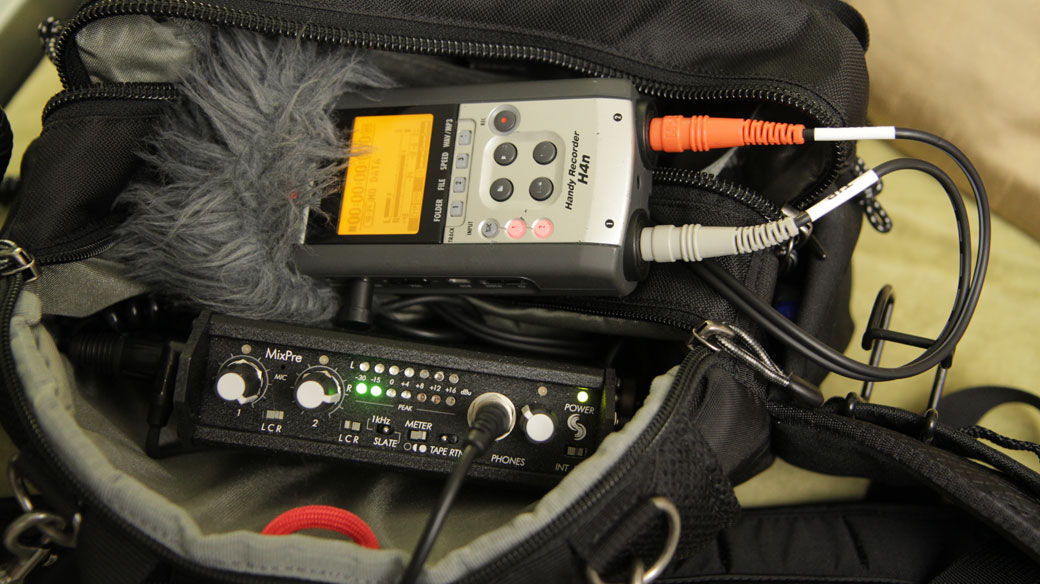
If you’re a DSLR video shooter using the Zoom H4N, you’ve probably heard the Sound Devices MixPre can take your audio recording to the next level. But what, exactly, does the “next level” sound like? I recently purchased a MixPre, and I’ve been asked by a couple readers of my blog to post sample audio. And that’s what I’ve got for you today.

Here are three recordings which test the following scenarios:

AT875 mic -> MixPre -> H4N line-in with -10db M-Audio attenuation pad (recording level on Zoom H4N set to 19)

AT875 mic -> MixPre -> H4N line-in with -25db Pink Noise attenuation cable (recording level on Zoom H4N set to 27)

AT875 mic -> H4N sans mixer (recording level set to 82)

NOTE: It’s necessary to use attenuation of some kind between the Tape Out on the MixPre and the Zoom H4N’s line-in, because the signal the MixPre sends to the Zoom is too hot otherwise, and will cause the Zoom to clip before the MixPre’s limiter’s kick in. I blogged about this previously here.

The recording environment: my finished basement, which is very quiet and covered in carpet. It was a windy day today, though, so you can occasionally hear neighbor’s wind chimes in the background. For this test, I read the first paragraph of a Paul Bowles short story, so it’s your basic male dialog.

Equipment: AT875R mic on stand, 10″ away from my mouth; Sound Devices MixPre; Zoom H4N (with latest firmware update).

Hypothesis: It shouldn’t really make any difference whether you use a -10db pad or a -25db cable – you just have to raise the recording level a bit when using the -25 cable. But I am wondering whether the -25db cable sample will be noisier because of need to crank up recording level on Zoom H4N. It shouldn’t be, because I’m told that plugging into the line-in on the Zoom bypasses the preamps on the Zoom completely. Finally, the Zoom H4N should be noisier without the MixPre in front of it, because the preamps on the consumer Zoom H4N are said to be crappy by comparison with the professional Sound Devices MixPre.

After reviewing the results, here’s my thoughts:

As expected, the MixPre does improve the quality of the audio recording compared with recording directly into Zoom H4N. There is less hiss, and the sound is richer. Still, the Zoom H4N all by itself is not bad. And to my surprise, the -25db Pink Noise cable seems to have less noise than the -10db pad, although I think that’s down to relative recording levels being different (although I tried to make them the same – the audio waveforms are taller on the -10 pad file). As I’ve posted previously, I far prefer the Pink Noise cable over the -10 M-Audio pad, because of it’s ergonomically angled 3.5mm jack, which allows it to lay flat in my sound bag.

So these test results do nothing to change my preference: recording audio with MixPre in front of my Zoom H4N, connected with Pink Noise -25db cable.

Of course, sound is a very subjective thing. What do your ears tell you?

For sale: JVC GY-HM100U (SOLD)

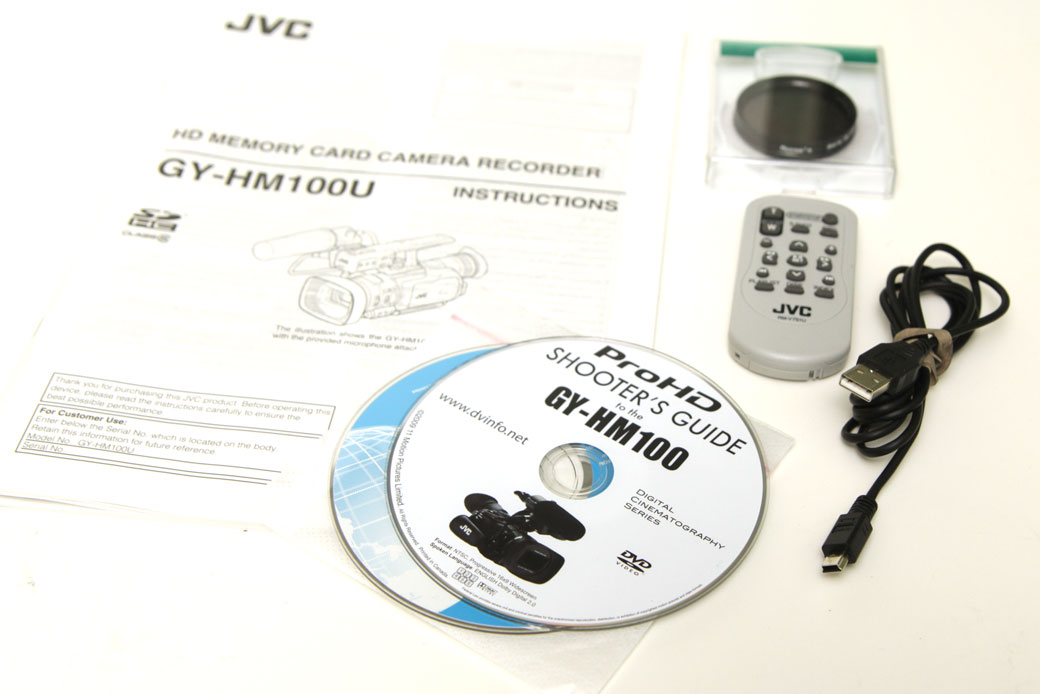
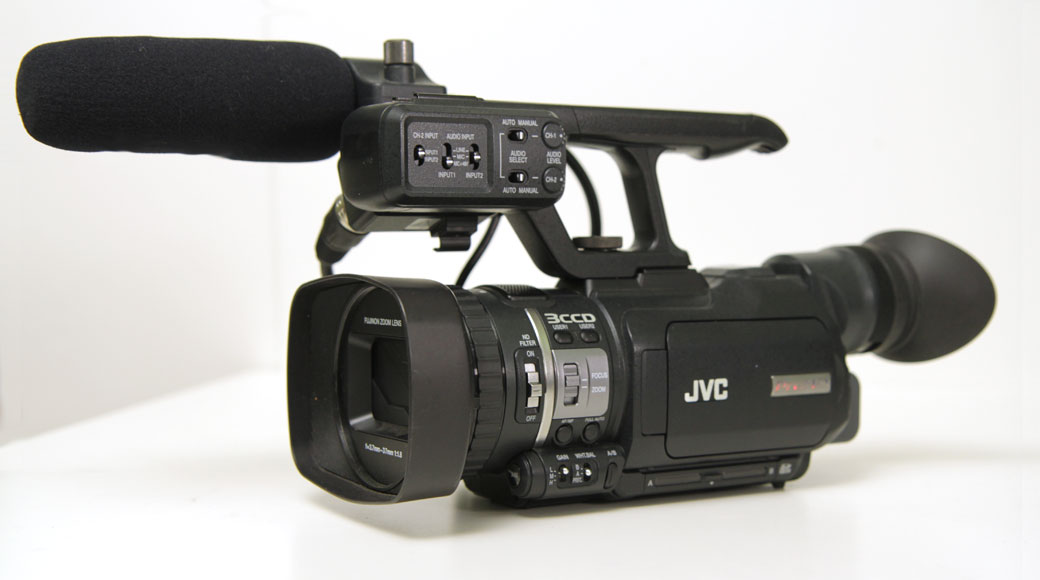
I’m selling my mint-condition JVC camcorder. It’s tough to part with this great little camera, which I bought less than two years ago. I shot one documentary with this camera, a film that got me into Werner Herzog’s Rogue Film School last June. But my workflow has evolved so it’s time to find a good home for this great camera, which is today selling new on B&H Photo for $2,795.

So here’s why buying it from me is a killer deal: I’m including a whole bunch of extras like batteries, filters, pack and wetsuit, stuff you’d need to buy anyway. When you total up the price of everything I purchased to go with this camera new, it comes to $3511.57.

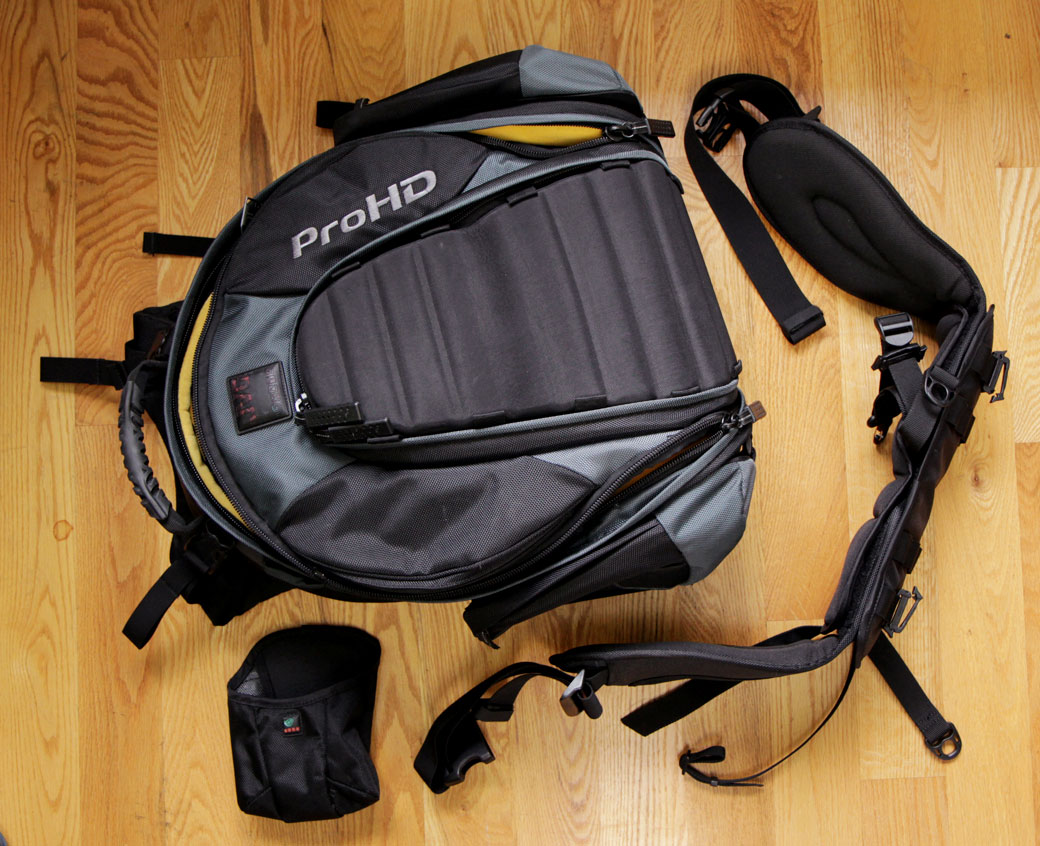
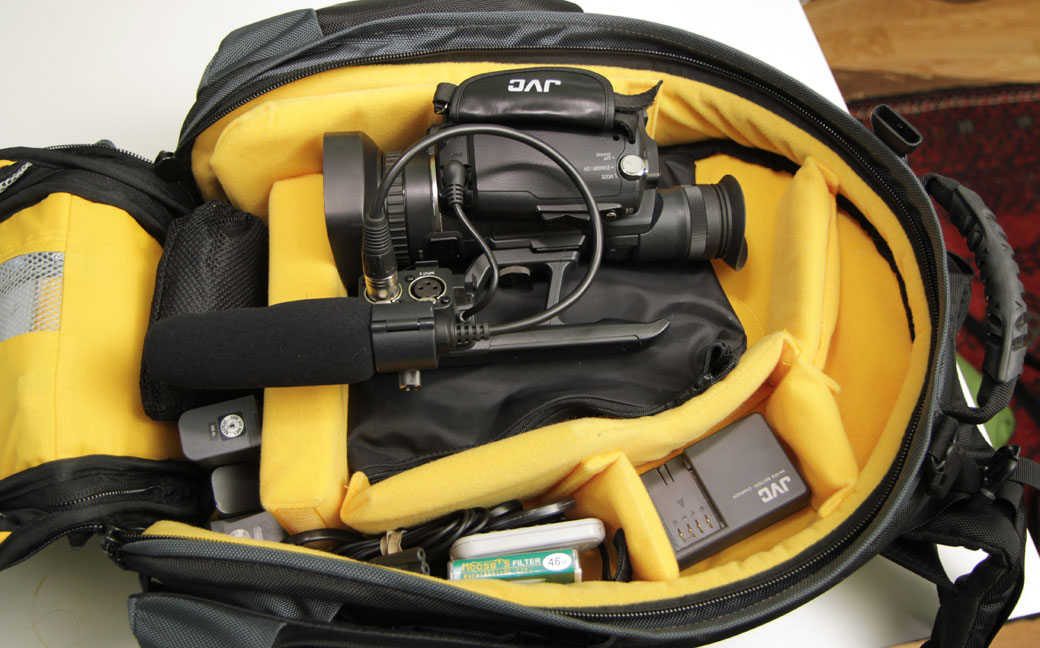
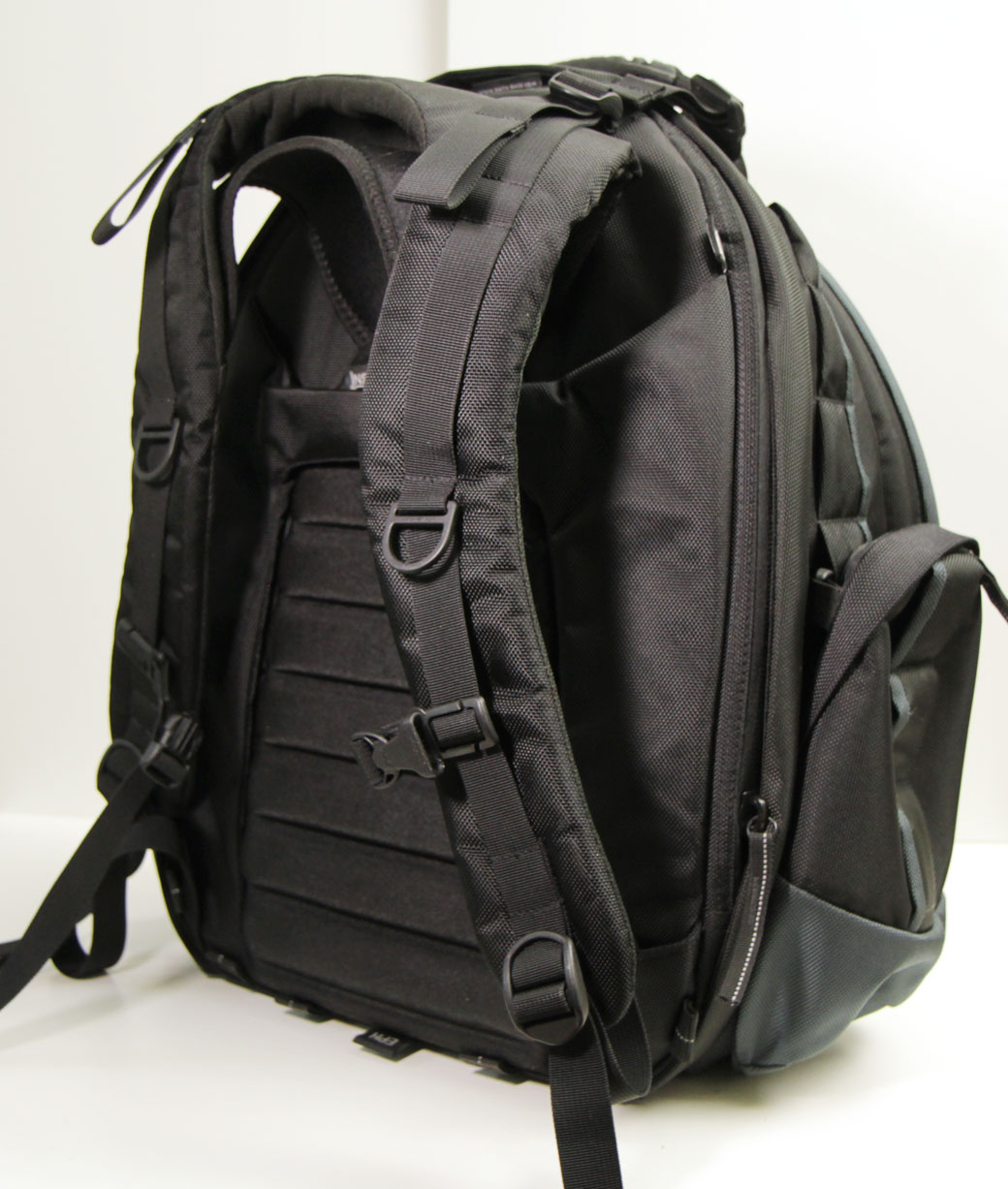
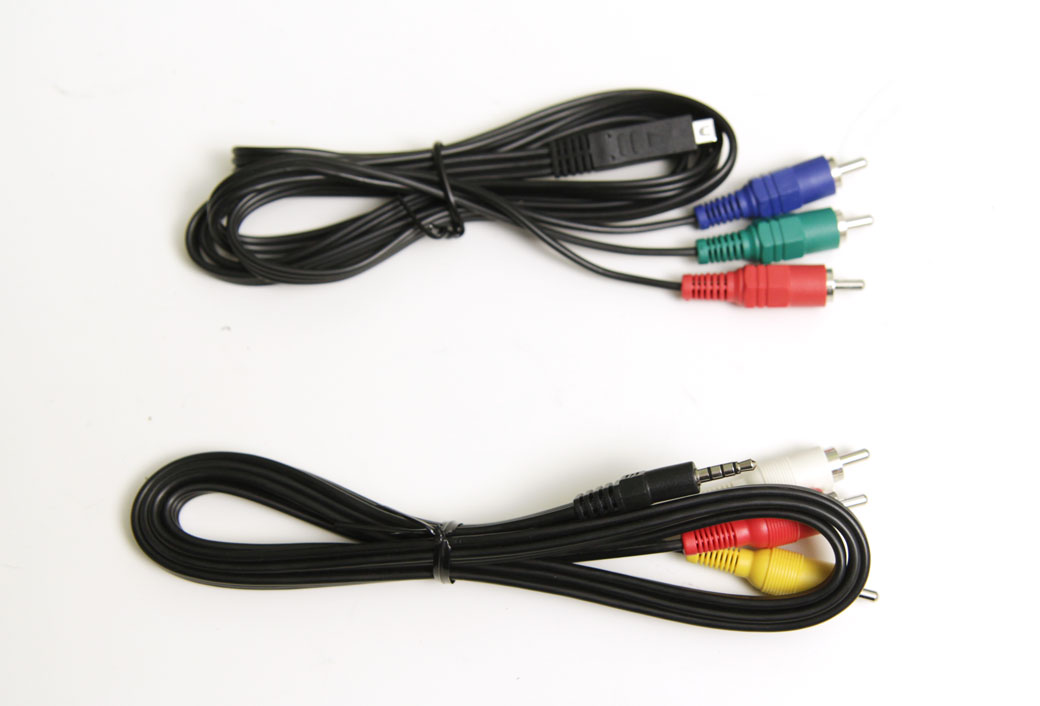
I’m pricing everything for $2,300.00, firm (please don’t ask me to sell items individually – it’s a package deal). I’ll update this listing with “SOLD” when it’s been sold – email me at dan at danmccomb dot com if you’re interested. Here’s some photos:
What you get:

JVC HM100U with 237 hours on meter (new cost $2,795)
JVC Batteries (2) (new cost $84.94 each)
Pearstone Batteries (2) (new cost $49.95 each)
Moose’s Filter Warm (81A) + Polarizer 46mm (new cost $50.85)
Hoya Skylight 1B (HMC) 46mm (new cost $19.35)
Kata Pack (Kata R-104) (new cost $207.59)
CamRade WS GYHM100 Westsuit (new cost $169.00)

The JVC GY-HM100U ProHD Camera is a revolutionary product which incorporates many aspects of major broadcast camcorders packaged into a lightweight, handheld camcorder. Modesty ends there however, as the camera’s capabilities far exceed models in its class. With the ability to shoot high definition footage up to 35 Mbps, the camera ushers in a new level of quality, eliminating many problems associated with other methods.

At its core, the GY-HM100U builds on the success of JVC’s previous tape-based ProHD cameras, instead recording footage to SDHC cards. Solid-state recording increases workflow speeds; shoot and start editing in minutes! Additional features include a sophisticated focus assist, uncompressed audio capability, optical image stabilization, and 2 hot-swappable SDHC slots. All these things make the GY-HM100U HD an ideal ultra-compact video camera for enthusiasts and professionals.
Note! Class 10 SDHC cards supported only by cameras with most current firmware. If your GY-HM100 contains older firmware, please visit manufacturer’s upgrade page to download and install most recent version.

Compact Frame

The camera’s compact frame makes it easy to venture into uncharted territory. Long gone are the days of lugging around a brick with one hand. The GY-HM100U’s lightweight body allows for long run times without the fatigue. Whether you’re shooting a documentary, wedding, or grabbing the news, both your wrists and your arms will thank you.

Sophisticated Format

JVC’s proprietary HD format is based on industry standard MPEG-2 compression, used for both HD broadcasts and DVD videos. By using the same basic technology as HDV and incorporating some advanced industry know-how, the GY-HM100U can shoot 720 at 19Mbps and 1080 at 25Mbps. The major difference, however, is the ability to shoot both resolutions at 35Mbps, producing the highest quality MPEG-2 video available! The format can be recorded in .mov form, making it easy to ingest into Final Cut Pro for quick direct-to-edit flexibility. For PC users, video can be recorded as ISO Base Media, which is compatible with virtually all major Non-Linear editors.

Recording to SDHC

Unlike other cameras that record to expensive proprietary memory cards, the GY-HM100U shoots to the abundant SDHC standard. Recording hours of high definition footage across two slots; both are hot-swappable and can be quickly ingested into any computer or device with any inexpensive SD card reader. How’s that for cost-effective?

Cutting Edge CCD Technology

The 1/4″ progressive scan CCDs produce stunning images with picture perfect color accuracy. The sensors incorporate spatial offset technology, which places the red and blue sensors 1/2 of a pixel in respect to the green sensor, increasing effective resolution without sacrificing image quality or by using interpolation.

Fujinon Lens

The camera comes equipped with a 10x HD lens developed by Fujinon, the leader in broadcast-level video optics. The lens takes advantage of a compact 3-aspheric element body, which decreases both size and weight. The lens exhibits exceptional quality while showing less distortion, color aberration, and flare. Additionally, the lens comes with a built-in lens flip-up cover so users don’t have to keep track of those pesky lens caps.

Optical Image Stabilization

The Optical Image Stabilization incorporated in the lens helps defeat camera shake from handheld shooting, as well as turbulence produced from a moving vehicle. Since it’s an optical function, OIS can compensate for a greater amount of problems while avoiding any loss in image quality, which is common when using more antiquated electronic or digital stabilizing methods.

High Quality Digital Signal Processor

The camera’s digital signal processor encodes all formats from a pristine 1920 x 1080 signal, ensuring all footage is of the highest resolution and quality. By starting with the maximum amount of color and spatial information the recorded footage will prove crystal clear every time. Additionally, JVC has incorporated a series of noise reducing technologies that take the entire process to another level.

Professional Audio Capability

Just because the camera is small doesn’t mean its audio capabilities are. The GY-HM100U has audio control and capability almost exclusively found on ENG camcorders! Located just in front of the handle are 2 standard XLR inputs with phantom power. Unlike its MPEG-2 HDV counterpart, JVC has upped the ante by electing to use LPCM (Linear Pulse Code Modulated) uncompressed 16-bit audio, taking productions to that coveted ‘next level’. To ensure you get the most out of their sound system, JVC has provided a high-quality shotgun microphone to accompany the already sublime internal bi-directional microphone.

Focus Assist

Taking its cue from JVC’s ProHD line of camcorders, the GY-HM100U uses an edge-detection technique for image focus-assist. With the increasing importance to verify one’s focus on lower resolution LCDs, focus-assist has become incredibly important. Unfortunately, it can be tricky at times. Some methods even obstruct the view of a frame, which can be both tedious and useless. The best part of the GY-HM100U’s method is that it doesn’t hinder the operator’s ability to frame a shot or follow the action, which in the end, is most important.

LoLux Mode

JVC’s exclusive technology allows users to shoot in extremely low lighting conditions. Whether you’re making that next great reality show or simply need to grab something in a dark room, LoLux mode has it covered.

For sale: Petrol Sound Bag (SOLD)

Update: The bag has been sold.

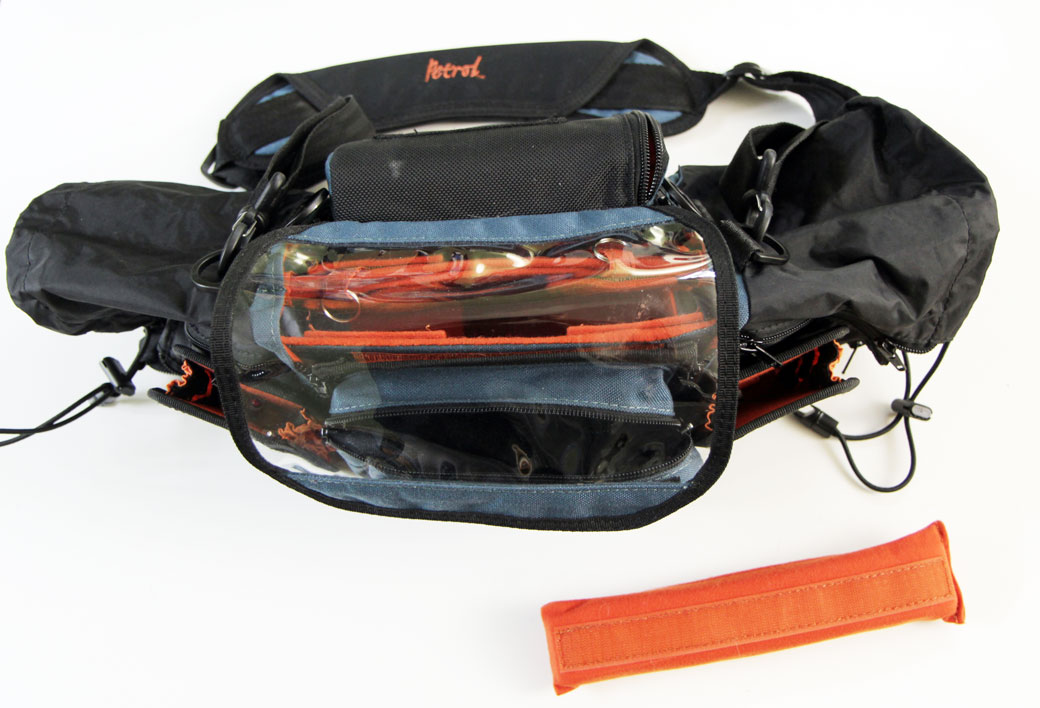
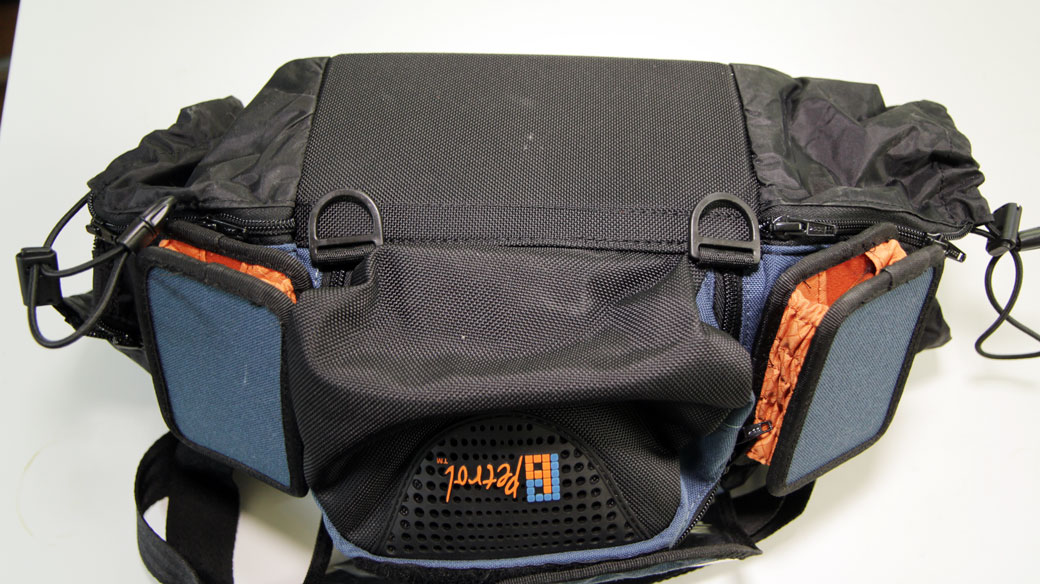
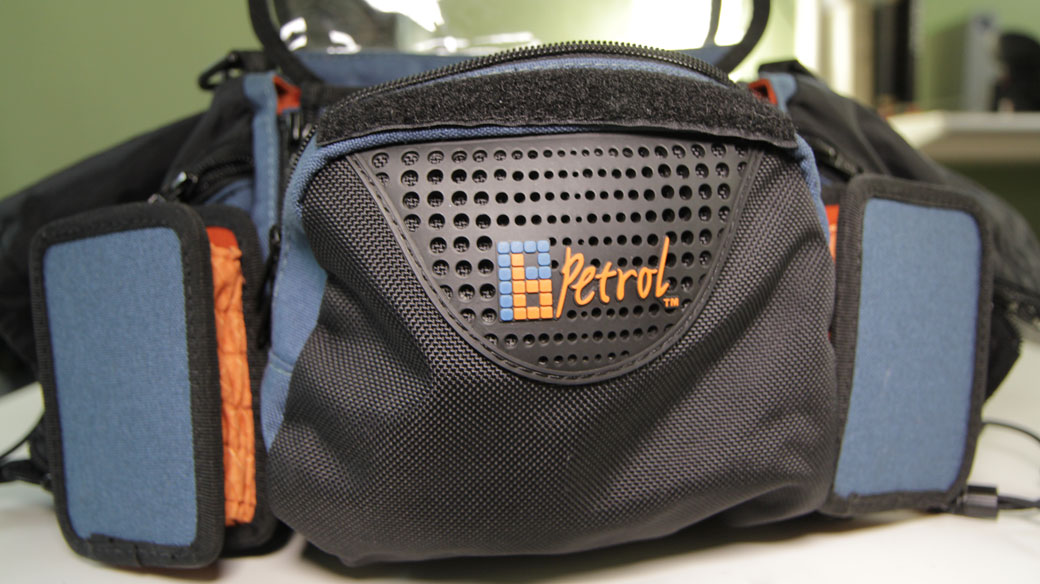
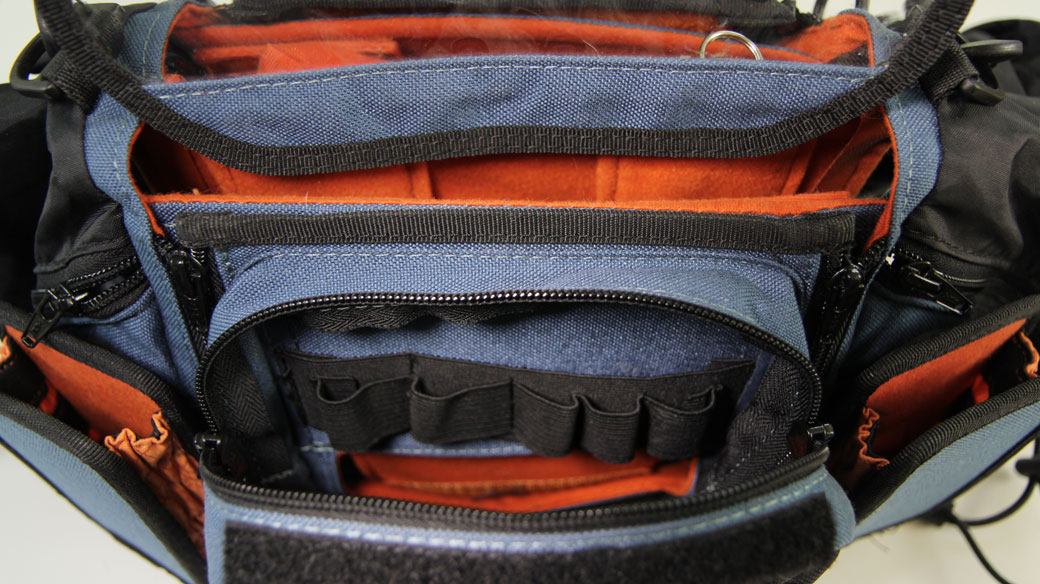
I’m selling my Petrol sound bag. It’s a great bag, used very lightly. I upgraded to a larger bag recently and no longer have a use for this lovely agile one. Details:

Petrol PSDMB-302, is a professional field recording mixer bag designed for use with sound devices SD302, SD-744T, SD702T, or Sonosax SX-R4. It also works great with smaller mixers such as Sound Devices MixPre. Organizes gear so its safe and workable on the job. Free access to all mixer panels-side,back top. Ample pockets hold batteries (especially NP-1 type), connectors, etc. Movable dividers, padded shoulder strap. Two allow for expandable snap-on pouches house transmitters or receivers. Features that can be added are the raincover (PERC) and the harness (PEHR).

Price is $90 firm and includes shipping via UPS ground within US. Unless you’re local to Seattle, I’ll require payment via PayPal. I will ship within 24 hours.

Here’s some pics:

Shoot me an email to dan at danmccomb dot com if you want it. I’ll update this post with “SOLD” in title when it’s been sold.

Economist Film Project

Let me begin with a disclaimer: I hate internet advertising. And I know hate is a strong word. But let’s face it: advertising sucked in newspapers, and who reads them any more? It sucked on TV and it sucks on billboards. Advertising is the primary reason I almost never listen to the radio (but joyfully listen to podcasts), and don’t EVER watch TV (No, I don’t count watching Battle Star Galactica on Netflix as watching TV).

When I was running Biznik, we experimented with advertising as a business model. It failed utterly. So few people clicked the ads, that we didn’t even generate enough revenue to operate the servers. It’s my opinion that advertising as a revenue model works on only the largest of sites. I doubted it would ever work on Facebook, and it didn’t for the longest time. But then Facebook became so big that even a ridiculous, antique business model that depended on them annoying their members could, and does work for them. But I’ve never clicked on a Facebook ad.

Until today. This is the ad that caught my eye:

I was reading a post that my friend Hazel Grace made about my film, Shine: The Entrepreneur’s Journey, which became available online last week (thanks Hazel for posting that!) and the words “Economist,” “independent” and “film” entered my consciousness somehow from the right sidebar that I normally tune out completely. Just goes to show that advertising does penetrate our consciousness on some level. So I click on the ad, and discover what is perhaps the PERFECT venue for my film: The Economist, in partnership with PBS NewsHour, is looking for films that they can cut into 6-8 minute segments for airing on NewsHour.

“…the project will feature films whose new ideas, perspectives, and insights not only help make sense of the world, but also take a stand and provoke debate.”

Well I read that and immediately realized SHINE is a perfect fit for this venue. 15 minutes later, I’d submitted the film at the Economist Film Project website, which makes it a snap (allowing the submission of films posted on Vimeo, thank you very much).

If my film gets aired on PBS as a result of this ad, I may have to amend my hardline position against internet advertising. If advertising can help an indie filmmaker find an audience for a niche film, is it totally evil?